To clean up phone photos, delete the screenshots and duplicates, heart your favourites and make one album per moment. You do not have to sort all 5,000. klikkie then picks the best shots from those albums, and around 30 good photos is enough for a book you will actually look at.
Key Takeaways
To clean up phone photos, you do not have to sort all of them. Delete the screenshots and duplicates, heart your favourites and make one album per moment, and you are done in one evening on iPhone or Android. Then klikkie picks the best shots from those albums and turns them into a photo book you will actually open.
Most phones hold thousands of photos. Screenshots, ten versions of the same sunset, and somewhere in between the moments you really want to keep. This guide helps you find those moments without losing a weekend.
How do you clean up phone photos in one evening?
You clean up phone photos in one evening by looking for the good ones instead of sorting everything. Too many photos on your phone feels like a huge job, but most of your camera roll is clutter you can clear in bulk. Put your phone on the charger, make a cup of tea and work through these steps. They work on iPhone and Android.
- Delete screenshots first. Your photo app keeps them in their own album, so they go in one go.
- Remove duplicates. Your phone can find most of them for you (more on that below).
- Heart your favourites while you scroll. Later you only need to look at those.
- Make one album per moment, like a holiday, a birthday or a summer.
- Use search. iPhone and Google Photos both let you search for places, people and things like “beach”.
Work through one month or one trip at a time. A small pile feels finished quickly, and that keeps you going. Do not think about every photo for long. If you hesitate, keep it and move on. You are looking for the gems, not deciding the fate of every blurry shot.
How do you delete duplicate photos and screenshots quickly?
Use the albums your phone already makes, because they gather most of the clutter for you. On iPhone (iOS 16 and later) the Photos app has a Duplicates album, so you can deal with copies in one place. On Android, Google Photos suggests cleanups too.
After that, scroll once and look for the usual suspects.
- Photos of receipts, parking spots and things you only needed to remember for a day.
- Images saved from group chats that you never meant to keep.
- Bursts of almost the same shot. Keep the best one and let the rest go.
- Blurry or dark photos where you cannot see what happened.
Deleted photos usually wait in a recently deleted folder or bin for a while first, so a mistake is easy to undo. That makes it much easier to be brave.
How many photos do you actually need for a photo book?
Fewer than you think, because around 30 good photos is plenty for one book. People add around 32 photos to a klikkie book, and about half end up on the pages. So the goal is not an empty camera roll. It is a handful of good moments per book.
That changes how you look at those 5,000 photos. You are not cleaning out a cupboard. You are picking a few favourites from one summer, one trip or one year, and the rest can simply stay where it is.
How do you choose the best photos without scrolling for hours?
Let klikkie do the first round, and then you decide what stays. Add an album or a month of photos and klikkie suggests the strongest ones, sharp, with open eyes and the best smiles. Ten nearly identical shots? Say “remove the doubles” and klikkie keeps the best one.
When you look through the suggestions yourself, check for a good mix. Faces you love, a few wide shots that show where you were, and the small everyday moments next to the big days. Those quiet photos are often the ones you enjoy most later. Read more about choosing which photos go in your photo book.
Can you just tell klikkie what you are looking for?
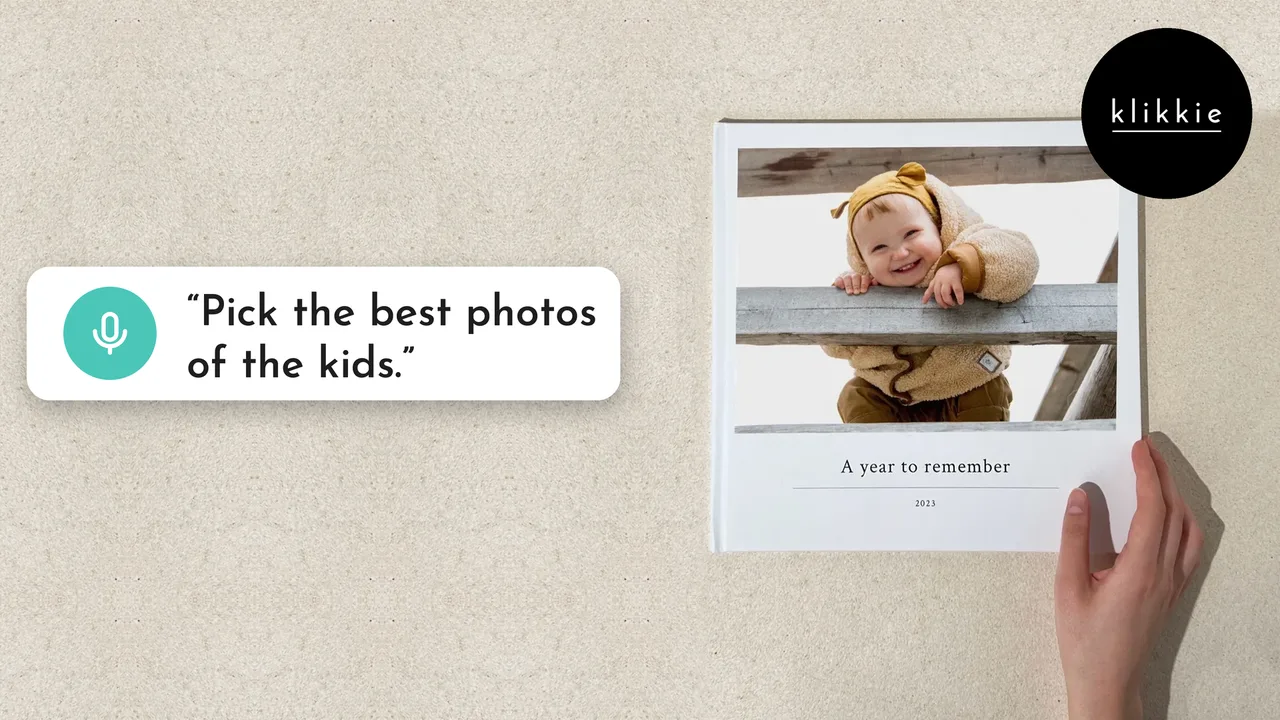
Yes, you tap the microphone and say what the book is about, or you type it if you prefer. “Pick the best photos of the kids this summer.” klikkie agent picks from the photos you added and builds the book. Talking is about three times faster than typing, which helps when your camera roll feels endless.
For many people this is the easiest way to create a photo book from a messy phone. You do not drag photos around one by one or puzzle over layouts. You say what matters and adjust what you want to change. See how making a photo book by voice works.
Should you print your photos or keep them digital?
Both, but the printed ones are the ones that get looked at. A book on the shelf is opened again and again, while a folder of 5,000 photos rarely is. Keep your backup in the cloud and print the moments you want to see.
When you print phone photos, choose the best photo book service for the way you live. For most people that means one that starts from the photos already on their phone and does the fiddly part for them. klikkie has helped more than 360,000 people get their photos off their phones and onto paper. Curious about the result on paper? Here is why phone photos look better printed.
How do you keep your camera roll tidy after tonight?
Make it a small habit to turn each moment into a book soon after it happens. A Pocket book after every holiday, or a yearbook from your phone every December. Coming home with a full camera roll? Here is the vacation photo album.
Each book you make is a moment you no longer need to sort. Once your photos are in, klikkie builds a book in about 2 minutes, a year book too. Books start at €14.
What people say about klikkie
4.6 from more than 3,400 reviews in the App Store, Google Play and on Google.
“Since my son was born I take hundreds of photos on my phone, of course. Fun for a moment or to send to friends, but not fun to scroll through for days when he’s grown up. …”
NikdV 123 · App Store, December 2025 (translated from Dutch)
“Lovely little photo book! Quick and easy”
Tineke R. · Google Play, January 2026 (translated from Dutch)
“Lovely little photo book to give as a gift or as a memory for yourself”
Wendy D. · Google Play, February 2026 (translated from Dutch)
“Very user friendly and fast delivery! The book turned out really beautiful”
Folkert D. · Google Play, January 2026 (translated from Dutch)
“The book looks really good, lovely colours, and was easy to put together.”
Jacques H. · App Store, May 2026 (translated from Dutch)
“Easy to put a photo book together, and the photos in the 10 x 10 cm book are incredibly clear and sharp”
Christel B. · Google Play, November 2025 (translated from Dutch)
 FAQ
FAQ